
One tool can make social media management simpler for a 100-person company. The useful question is whether it connects the whole content process: what to say, how to prepare it, who reviews it, and when it goes out.
That is the idea behind the new AI content experience in igeo.ai. Start with a topic and the questions buyers ask. Create a draft for the channel you are working on. Compare approaches, refine the message, and bring approved content into your publishing plan.
The goal is practical: give a small marketing team a repeatable way to turn expertise into useful content, with people responsible for the final message.
One workspace needs a shared content process
A company with 100 employees rarely has 100 social media managers. More often, marketing coordinates input from product, sales, customer success, and leadership. The work slows down when the idea, the supporting facts, the draft, and the publishing date live in different places.
Consider a common buyer question:
What tools can manage LinkedIn, X, Facebook, and Instagram for a 100-person company from one place?
Answering it well takes more than a calendar slot. The writer needs to understand the team's requirements, identify the product capabilities that address them, and choose a useful angle for each channel. A reviewer needs to check that the message matches what the product actually does.
A shared process gives each step an owner:
| Step | The question your team needs to answer |
|---|---|
| Choose the topic | Which buyer question deserves our attention? |
| Prepare the content | What can we explain or demonstrate with evidence? |
| Review the draft | Is it accurate, useful, and appropriate for this audience? |
| Plan delivery | Which connected profile, channel, and time should we use? |
| Learn from the result | What happened after publication, and what should change? |
Meet AI content in igeo.ai
The AI content workspace brings the first part of that process into a guided flow. Instead of starting every post with an empty editor, choose a content template and give the workflow a clear topic and prompt.
For a social post, the configuration includes Topics, Prompts, and Platforms, with optional brand-kit and audience context. Choose the social template for the destination you are writing for. The Platforms setting refers to AI engines used in the workflow; it is separate from the social channel.
The distinction matters. A LinkedIn post and an X post may answer the same buyer question, but they need different treatment. One might explain a practical workflow. The other might introduce a single idea and invite readers to explore it further.
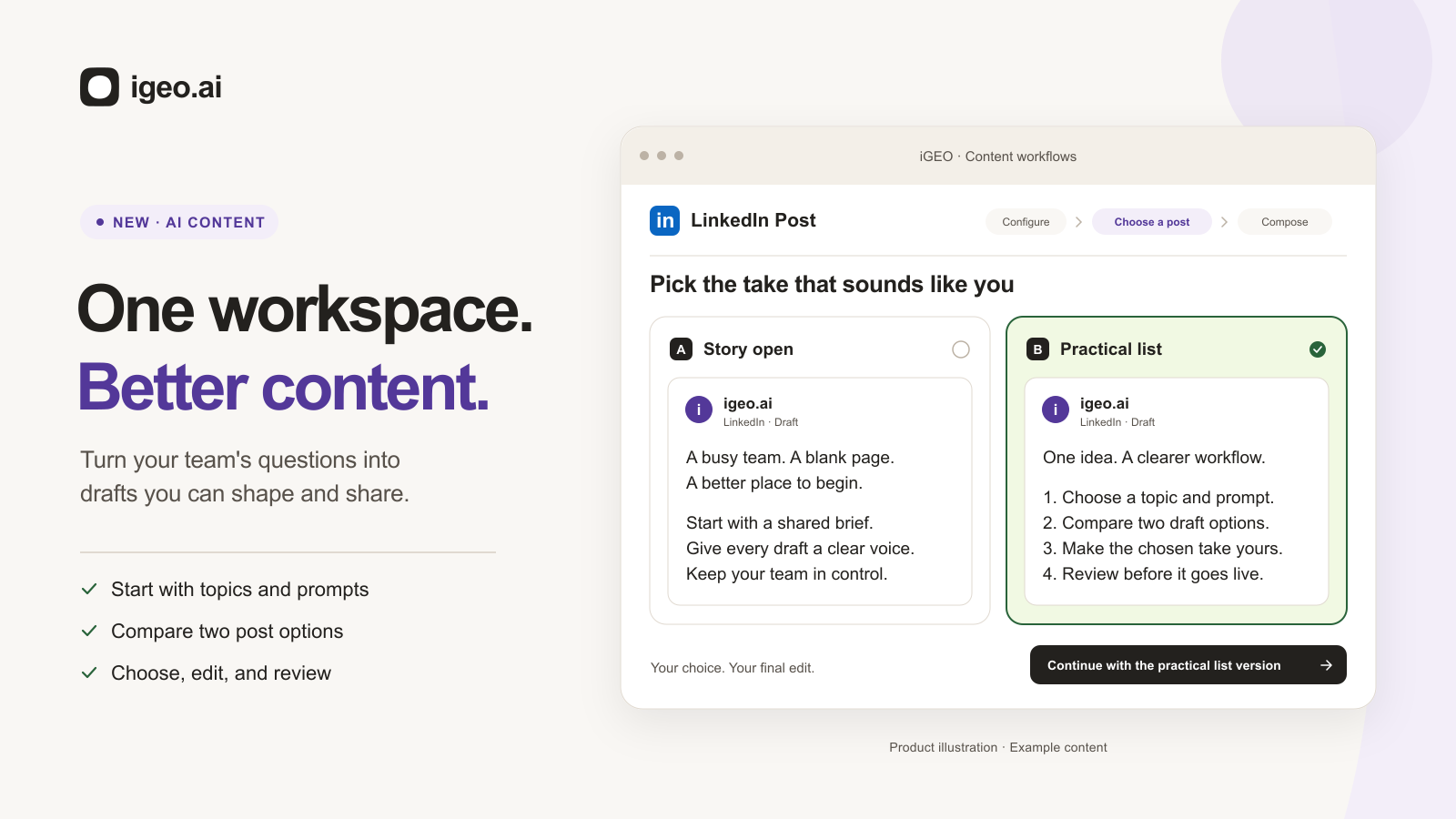
Select Generate 2 post options to compare two approaches. Choose the one that fits your message, then move to Compose to edit the caption, images, and hashtags. The generated text is a starting point for an editor, with the product context still close at hand.
Try the workflow: choose, compare, compose
The display below follows the app's configuration, draft selection, and composition screens. Pick a channel, compare the two example approaches, and edit a draft to see how the workflow fits together.
It uses prepared example content. The controls do not run a live AI generation or connect to a social account.
 AI Content/Off-siteInteractive preview
Inside igeo.ai
One question.
A draft for your channel.
Explore the AI Content workflow with a sample question, two draft options, and a final human review.
- 1Configure
- 2Choose a post
- 3Compose
Start with a question worth answering
What tools can manage LinkedIn, X, Facebook, and Instagram for a 100-person company from one place?
Two options. One shared topic.Compare different openings for the same LinkedIn post.
Illustrative content only. No AI requests, connected accounts, or publishing actions.
Based on the igeo.ai app’s social content workflow. This compact preview uses sample drafts.
Explore scheduling & postingWhen reviewing a real draft, check the specifics: feature availability, product names, supporting evidence, links, and the action you want the reader to take. An engaging opening is useful only if the rest of the post delivers on it.
Turn one buyer question into a content program
For the 100-person-company question, begin with one clear point: your team needs a shared process from idea to publication. Then adapt the explanation to each channel.
The following is an example editorial plan, rather than a claim that one click generates or publishes every format:
| Channel | A useful angle for this topic |
|---|---|
| Explain how a small marketing team coordinates expertise across a larger company. | |
| X | Share a concise checklist for choosing a social content workflow. |
| Start a conversation about where content gets delayed between drafting and approval. | |
| Pair a clear visual of the workflow with a short caption about the team's next step. | |
| Blog | Show the complete process, including product examples and questions to ask before adopting it. |
Keep the underlying facts consistent while changing the presentation. Reusing an idea is valuable; repeating identical copy across every destination can miss what readers expect from each format.
Build longer content with a brief first
The same principle applies to an article. The blog workflow adds room to develop the structure before creating a final draft.
Start with a topic and relevant prompts. Where available, add source context through Top-Cited Pages, a brand kit, and an audience segment. Review the proposed title and outline, then refine the editable Content Brief before choosing Create Final Draft.
For this article, a useful brief would specify the intended reader—a marketing lead at a 100-person company—the question being answered, the actual product steps to show, and the limits that need to be clear. It should also identify any facts that require verification.
That preparation makes review more concrete. You can assess whether the draft answers the question and explains the workflow, rather than judging it only by its length or tone. Draft, In review, and Ready statuses help keep the work's stage visible; your team still needs to agree who is responsible for approval.
AI already decides how your brand shows up.
Every prompt, citation, and recommendation is a signal. igeo.ai turns that behavior into clear answers and the next action, whether that’s a page to rewrite, a schema to add, or a story to publish.
Put reviewed work on the calendar
Once the message is ready, give it a place in the publishing plan. Scheduling & Posting brings the calendar, post details, and social-profile organization into view.
Use the calendar to see timing and campaign context. Switch to a list to work through individual posts. Keep the title, channel, date, time, and review status together so the next action is clear.
Try the existing scheduling preview below. Open a sample post, adjust its details, or create an example entry. Its September dates are part of the demonstration, and changes stay inside the preview.
Give approved work a publishing plan
Your publishing workspaceExample workspace · Explore freely. No accounts are connected and nothing is published.
Try the website’s sample calendar and composer. Changes stay in this preview; no accounts are connected and nothing is published.
Explore scheduling and postingIn your team's workflow, distinguish content creation from delivery. AI content supports exporting social drafts; available direct publishing and scheduling options depend on the destination and connected account. Confirm the channels and profiles you need before planning a campaign around them.
Profile groups can help organize accounts around Marketing, Sales, or Leadership. Keep accounts used for scheduling distinct from engagement-only profiles, and check connection status before relying on an account for delivery.
Set ownership for a 100-person company
A practical starting point is one content owner, one subject-matter reviewer, and one person responsible for the publishing calendar. Those may be different people, or overlapping responsibilities within a small team.
The content owner selects the topic and prepares the draft. The reviewer checks product facts, evidence, and any customer material. The publishing owner confirms the destination and timing. Leadership and subject-matter experts contribute knowledge without needing to manage every post.
For each piece of content, agree on a review deadline and the conditions for considering it ready. A visible status helps coordination, but it does not replace that agreement or imply a formal approval policy has been enforced.
Start with one campaign and a manageable set of profiles. Review where work gets stuck before increasing volume. The process should help your team make decisions, not just create a larger queue of drafts.
Measure publishing, engagement, and AI visibility separately
The original question about an all-in-one tool also raises a measurement question: what does success mean?
Three views help answer it:
- Publishing progress: Did the content complete review and reach its intended destination? A draft, a scheduled post, and a published post are different stages.
- Audience response: Did people engage with the message, visit the page, or take the intended next step? Use the channel and analytics data available to your team.
- AI visibility: Does your brand or published content appear in the AI answers you monitor? Inspect the prompts, sources, and reporting period behind the observation.
AI visibility monitoring helps investigate how engines describe your brand. AI Search Console starts with a published URL and follows observed crawling and citation activity. AI Traffic Analytics adds context about identifiable referral traffic.
Read those signals together without treating them as interchangeable. A social reaction is not an AI citation, and a citation is not a conversion. Use the evidence to choose your next content improvement.
Is one tool enough for your team?
Evaluate the workflow you need, rather than the number of features on a comparison chart. Before adopting a platform, walk one real idea through the process:
- Can you give the writer enough topic, audience, and brand context?
- Can you compare approaches and edit the draft before delivery?
- Can your team see what needs review and who owns the next action?
- Are the required profiles connected, with the delivery options you need?
- Can you distinguish content output from audience response and business results?
igeo.ai brings AI-informed content preparation and publishing planning into the same broader platform. The new AI content experience gives your team a concrete place to start: choose a buyer question, compare drafts, and develop a message worth publishing.
Explore Scheduling & Posting to try the publishing workflow, or book a demo to walk through AI content with your team's channels and requirements.
Frequently asked questions
Can one tool manage social content for a 100-person company?
One workspace can cover much of the process if it supports the channels, content preparation, review, and scheduling your team needs. Evaluate those steps separately. A company with 100 employees may still have a small marketing team, so clear ownership and a shared plan matter more than giving everyone publishing access.
What does the new AI content feature in igeo.ai do?
AI content helps turn a selected topic and buyer prompts into content. Social workflows let you generate two post options, choose an approach, and edit the caption, images, and hashtags. The blog workflow includes title and outline selection, an editable content brief, and final-draft creation.
Are AI platforms and social channels the same setting?
No. A social template such as LinkedIn Post or X Post / Thread determines the content destination and format. Platforms in the configuration refer to the AI engines used as context for the workflow. Selecting an AI engine does not connect a social account or authorize publishing.
Does generating a draft publish it automatically?
No. Generating content, choosing a draft, and editing it are separate from delivery. Review the text and supporting evidence first. Social drafts can be exported; direct delivery and scheduling depend on the available destination and connected account. The examples in this article do not publish anything.
Does more social posting guarantee more AI citations?
No. A scheduled or published post is a distribution event, not evidence of an AI citation. Track observed mentions and citations separately from social engagement, referral visits, and conversions. Public access, the prompts being monitored, the engine, and the reporting period affect what you can observe.