See the whole picture.
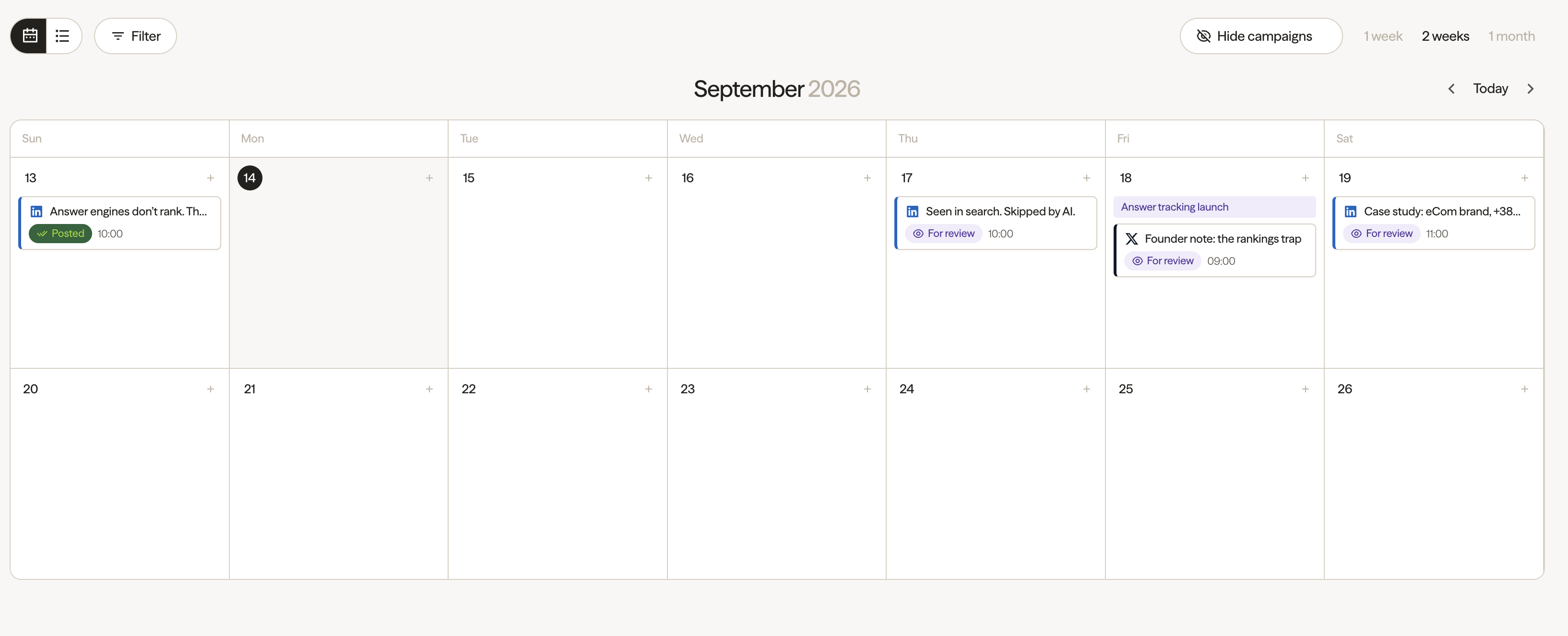
Bring upcoming posts and campaigns into a visual calendar. Spot gaps in the schedule before they become gaps in your presence.
Explore the calendarScheduling & Posting
Turn marketing priorities into a publishing plan.
Prepare the post. Bring your team in. Give every message its moment.
One calendar. Connected teams. Content with a purpose.
 Your publishing workspace
Product launch
Example workspace · Explore freely. No accounts are connected and nothing is published.
A plan for every channel
Plan around the channels your buyers use. Connection and publishing options depend on the channel and account.
From priority to published
Give everyone a shared view of what is planned, what needs attention, and what is ready for the next step.
Bring upcoming posts and campaigns into a visual calendar. Spot gaps in the schedule before they become gaps in your presence.
Explore the calendarKeep work awaiting review visible. Check the message, supporting evidence and channel before your team moves it forward.
See post preparationOrganize accounts by team or campaign. Separate scheduling profiles from engagement-only profiles and keep connection status in view.
Explore social profilesBuilt for the way teams work
Move between the campaign view and the details of a single post. The date, channel and next step stay connected.
Part of the bigger picture
igeo.ai connects AI visibility with marketing action. Use what you learn about buyer questions and missing evidence to decide what deserves a place in your content plan.
Explore igeo.ai agentsUnderstand how AI represents your business and where the explanation falls short.
Build a useful message around product facts, expertise and approved customer proof.
Coordinate the work, publish thoughtfully, and review what changes across your marketing channels.
Practical details
Scheduling & Posting brings content planning, post preparation and social-profile organization into one workflow. Use a calendar to see what is coming up, choose a channel and publishing time, and keep track of work that is to do, ready for review or posted.
An AI visibility finding is a starting point for useful marketing work. Scheduling helps your team turn approved ideas into a consistent publishing plan. Share relevant expertise and evidence across your channels, then evaluate the results. Publishing more often alone does not guarantee mentions or recommendations in AI answers.
The posting interface includes LinkedIn, X, Instagram, Facebook, Threads, TikTok, YouTube Shorts, Slack and Discord as channel choices. Connection requirements and publishing capabilities vary by channel and account. Review the channels you need with our team before setting up your workflow.
The workflow includes a For review status so the team can distinguish content awaiting review from completed work. Keep human approval in your publishing process to check the message, evidence and intended audience before a post goes live.
Yes. Social profiles can be organized into groups, such as Marketing, Sales or Leadership. A profile can belong to more than one group. Search and filter the profile list to focus on the accounts relevant to the work you are planning.
The profile interface distinguishes accounts used for scheduling from profiles used for engagement. Keep those roles visible when planning a campaign, and confirm each account's connection status and permissions before relying on it for publishing.
Company users connect their personal profiles for automatic engagement. When a post goes live, enabled profiles like, comment and repost according to their selected actions. This gives newly published content an initial wave of team engagement. The interactive preview lets you choose actions for each example user and simulate a release without sending any real social activity.
Yes. The planning interface offers calendar and list views. Use the calendar to understand timing and campaign context, and the list to work through individual posts and their statuses.
No. This page uses example content to demonstrate planning, review and scheduling. Changes stay in the preview and reset when the page reloads. Book a demo to explore the workflow with your own channels and requirements.
Make the next move
See how Scheduling & Posting fits your channels, your team and your marketing goals.
Book your demo